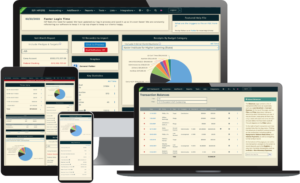
The WA C3 is a transaction deposit based report for any monetary receipts that have been deposited into an account. These deposits are created in ISP under the Accounting tab. After a deposit is made, you will then see it in the Deposit Transaction dropdown on the WA C3 criteria screen.
After your report has been filed, be sure to mark it as filed in ISP. This will prevent it from appearing again in the Deposit Transaction dropdown on the report’s criteria screen.
Transaction Types
While it is a report of a Deposit Batch, Washington does not support including any non-cash positive transactions on it. This will have an effect on, for example, a deposit batch with contributions, reversed and/or refunded contributions, and expenses (e.g. credit card fees).
In addition, the C3 only includes the following transaction types:
- Monetary Contribution
- Enforceable Pledge Payment
- Other Income
- Inkind Contribution with tag: Auction & associated Other Income (purchase of Auction Items)
- Loan Received
Deposit Dates
Typically, the receipt date for donations is the date the contribution is deposited into the bank account. However, in Seattle races, the date reported is the date you are notified of the contribution.
There are also some differences between how transactions with Method Credit Card are handled:
- for all PDC Versions – PDC (Non-Candidate), PDC (Itemize All) and PDC (Out of State) – if the transaction Method is Credit Card, the Date of the transaction will be the date of the deposit.
- for all Seattle Versions – Seattle (Non-Candidate), Seattle (Itemize All) and Seattle (Out of State) – if the Method is Credit Card, the Date of the transaction will be the transaction date.
About the Report
Line 1: Monetary Contributions Deposited In Account
This section will contain totals of all the various positive monetary receipts that were deposited. These are:
a. Anonymous
b. **this summary line is always $0 on the Non-Candidate report**
c. Loans, notes, security agreements
d. Miscellaneous receipts (i.e. interest, refunds)
e. Receipts under $100
For line (e), the C3 report will also tell you how many people make up that total amount.
Line 2: Total Funds Received and Deposited or Credited to Account
This section contains the sum of Sections 1 and 3. This amount will also be used for Line 1 on the C4 report.
Section 3: Itemized Contributions Over $100.00
Any positive monetary receipts over $100 in the aggregate (calculated from the First of the Year) found in the deposit for this report will itemize here. If the entity’s aggregate is over $250, the donor’s Employer information will appear. That means someone needs to donate $250.01 or more for their Employer information to populate.
If the donor’s aggregate is over $250 and no Work address is in the donor’s record, a warning will appear and the address must be added for the report to be compliant.